


Become a Team Captain!
How to create a team and invite others to join
Step 1: Sign up or log in to I Boost Immunity
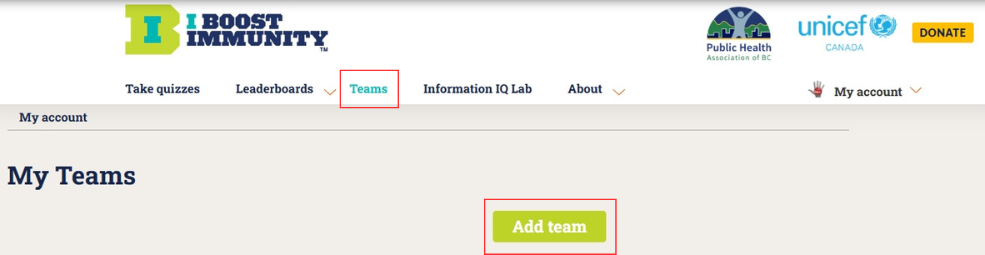
Step 2: Click on "Teams" in the menu bar and click the "Add team" button:
Step 3: Provide a name for your team (be creative!) and add a description (optional) and photo (optional). Decide if you want your team to be open for anyone to join or closed:

Step 4: Invite others to join your team by going to your new team home page and clicking on the “Invite People” button on the bottom right:

Step 5: Type in the email addresses of those people you want to join the team, along with a message (optional). The system will generate an email to the recipients with instructions. If a recipient has already signed up to I Boost Immunity as a user, the link they receive will immediately prompt them to join your team. If a person has not yet registered, first they will be prompted to sign up and subsequently asked to join your team.
Additional Note: If you create an Open team (see step 3), anyone can join by logging in, finding your team in the Leaderboards section and clicking on the Join Team button.